Set self-destruct timer for a chat
Self-destructing message is available on Matrx to further enhance messaging security. You can set a Self-Destruct Timer in 1-on-1 chats. As soon as the time runs out, the sent and received messages would disappear from both parties' devices.
Prerequisites
- Windows v1.2.8 and above, Mac v1.4.8 and above, Android v1.5.2 and above, iOS v1.5.1 and above
- Only 1-on-1 chat has this function
- This function is enabled from the admin portal
Set Self-Destruct Timer
- 💻Desktop Users
- 📱Mobile Users
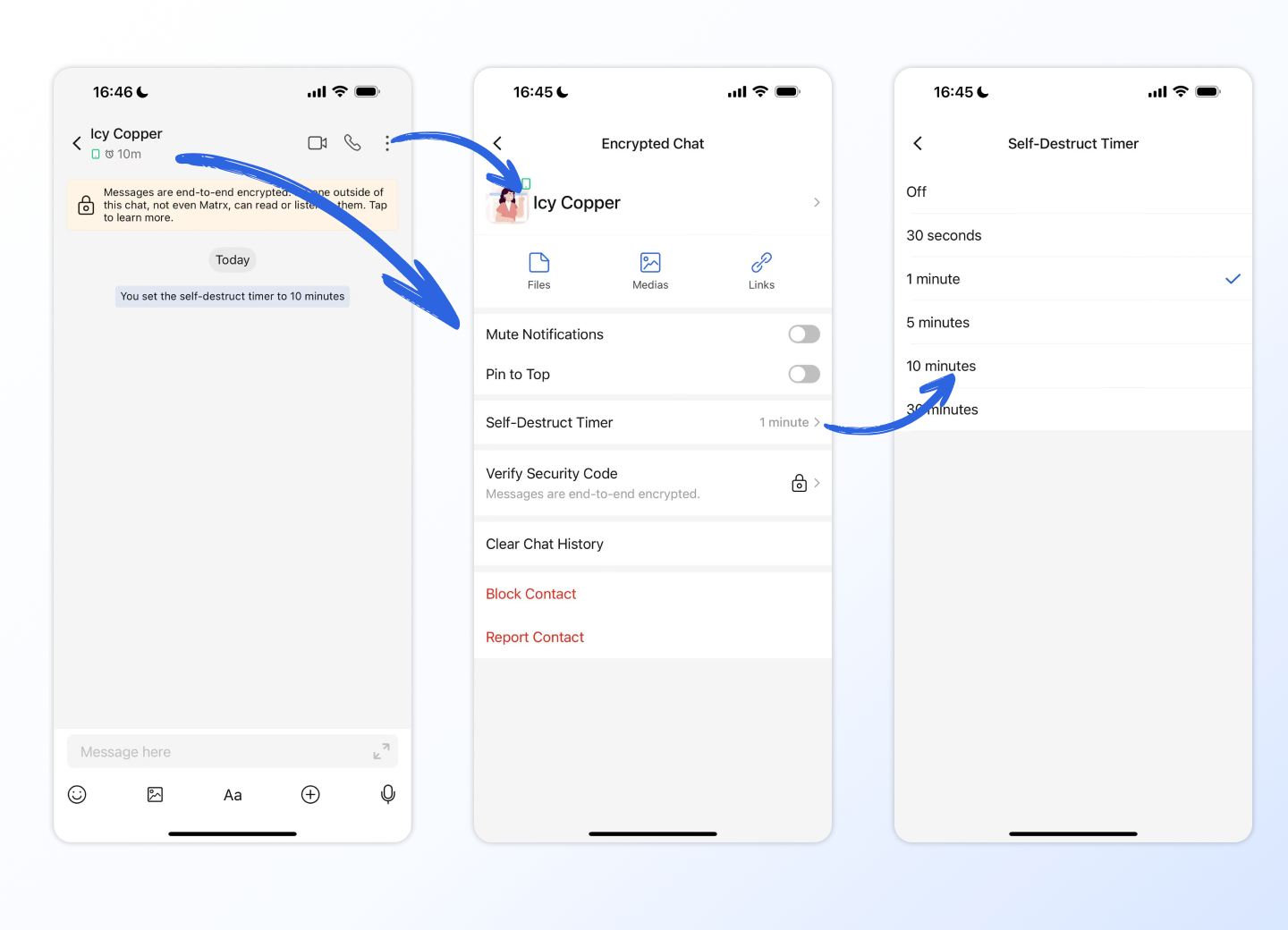
In 1-on-1 chat settings, users can set self-destruct timer to enable the seft-desctructing message function. Once set, new sent and received messages will self-destruction following the rule. This rule will be synchronized with your other clients on the same chat. After the self-destruct time is set, you'll see a notification in the chat so that both parties know that the seft-desctructing message function is enabled.
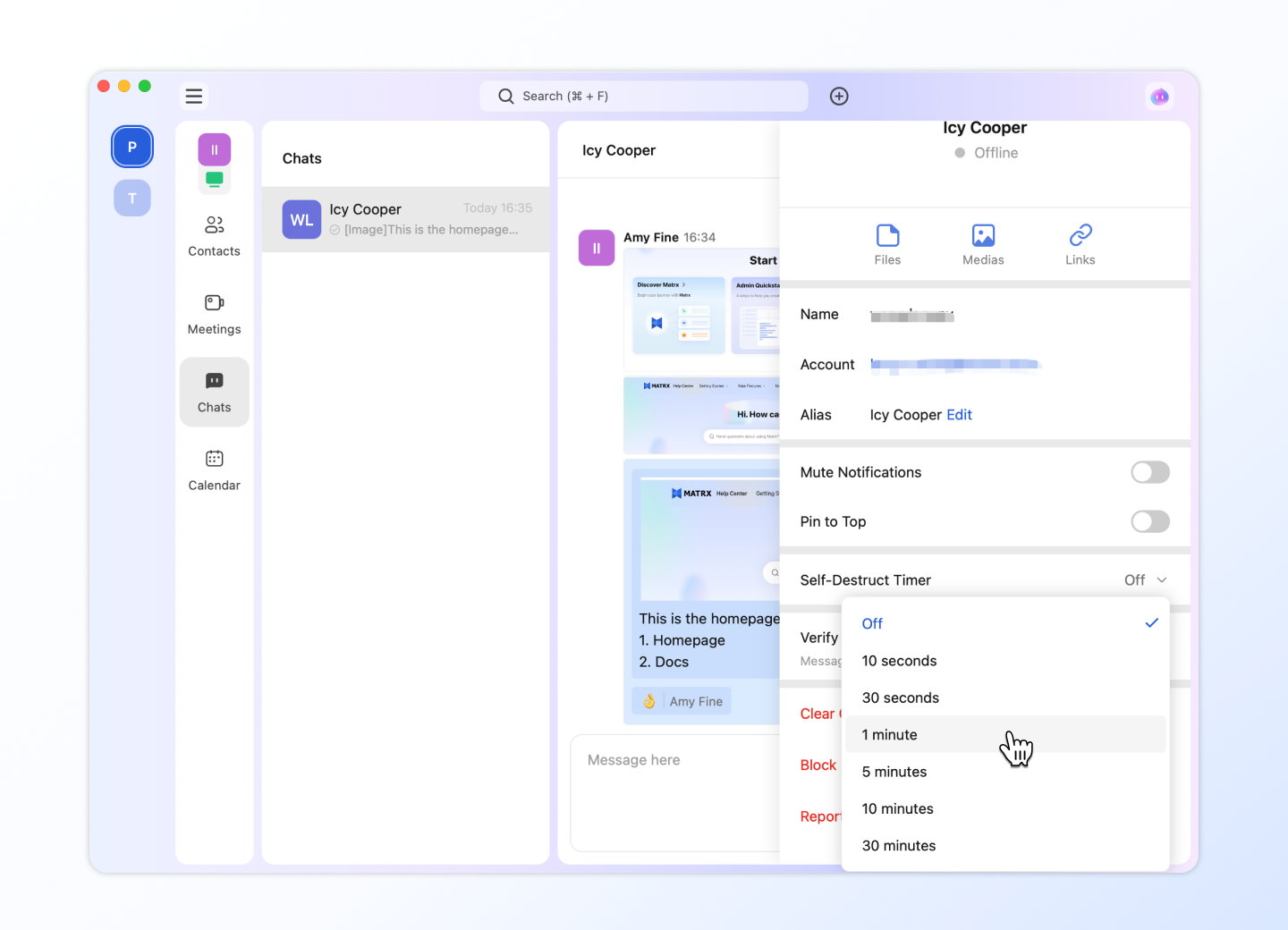
In 1-on-1 chat settings, users can set self-destruct timer to enable the seft-desctructing message function. Once set, new sent and received messages will self-destruction following the rule. This rule will be synchronized with your other clients on the same chat. After the self-destruct time is set, you'll see a notification in the chat so that both parties know that the seft-desctructing message function is enabled.
Self-Destruct Rule
- 💻Desktop Users
- 📱Mobile Users
Sender: The message destruction timing of the message sender starts after receiving the read receipt from the receiver. Receiver: The message destruction timing of the message receiver has different rules according to different message types.
- The destruction timing of the Picture message starts after Viewing the picture details.
- The destruction timing of the File message starts after Downloading this file.
- The destruction timing of the Voice message starts after Playing this message. Only if both parties are on the latest version can the setting be successful. Otherwise, the user will be prompted that the setting failed.
Sender: The message destruction timing of the message sender starts after receiving the read receipt from the receiver. Receiver: The message destruction timing of the message receiver has different rules according to different message types.
- The destruction timing of the Picture message starts after Viewing the picture details.
- The destruction timing of the File message starts after Downloading this file.
- The destruction timing of the Voice message starts after Playing this message. Only if both parties are on the latest version can the setting be successful. Otherwise, the user will be prompted that the setting failed.